Arc en Ciel help
Collections: save, group, and browse themed sets
Use collections to keep related models and media together without relying on one perfect search query.
Quick answer
- Use collections when you want a stable list: references, model packs, favorites, event picks, or a reading path.
- Open each item before downloading; collection cards are shortcuts, not the full safety/version view.
- If a collection looks empty, check rating filters, removed/private items, and whether the collection owner changed visibility.
What collections are for
Collections are hand-built paths through the site. They work well for themes, learning sets, model comparisons, art references, release bundles, or anything you want to revisit without rebuilding a search from scratch.
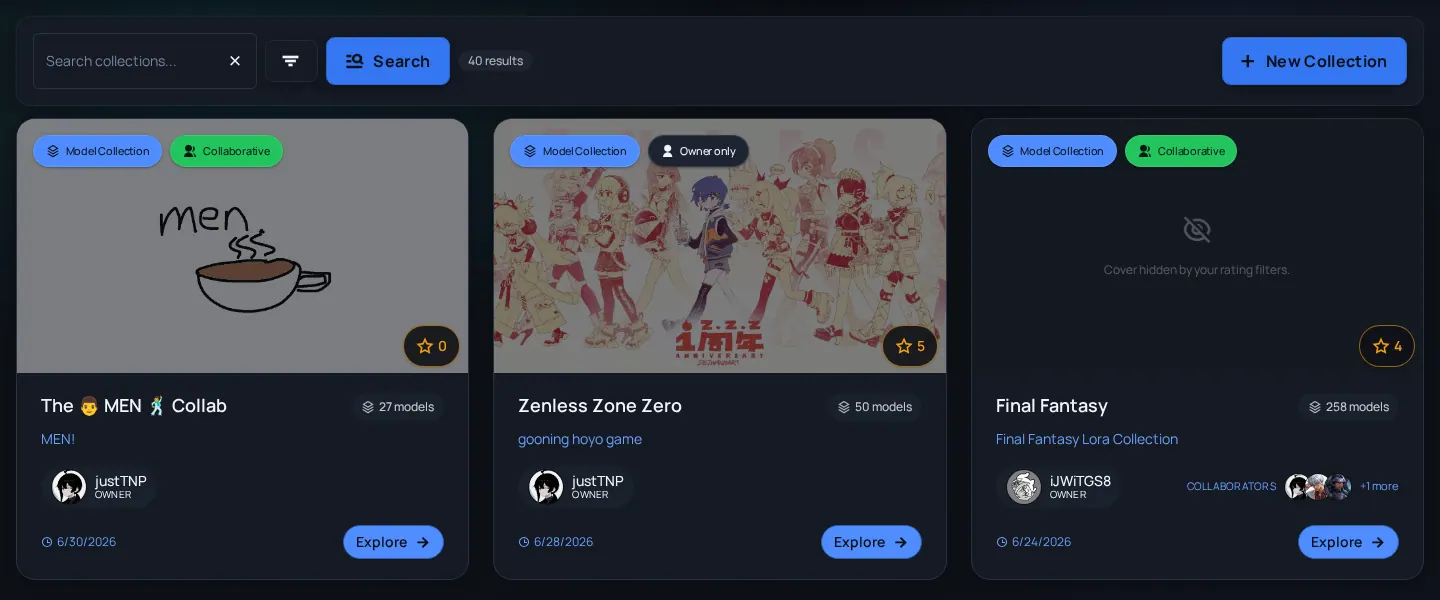
Common collection uses
- Reference set
- A group of images, videos, or models you want to compare later.
- Release bundle
- A public list that keeps related models, previews, and articles together.
- Learning path
- A sequence of items that explains a topic better than one search result.
- Mood board
- A loose visual set used for inspiration or style direction.
Browse a collection well
- Read the collection title and description first; they explain why the items belong together.
- Scan item cards for type, rating, creator, and freshness.
- Open the detail page for anything you may download, follow, or cite.
- Use tags and related creators from useful items to continue browsing outside the collection.
- Save or follow the collection/creator if you expect the set to change over time.
| Clue | What it tells you | Watch out for |
|---|---|---|
| Description explains the theme | The collection likely has a purpose beyond random saves. | No description can mean you need to inspect items one by one. |
| Mixed content types | The set may combine models, images, videos, and articles around one idea. | Do not assume every item has the same rating or download safety state. |
| Old and new items together | The collection may preserve history or comparisons. | Open model versions before downloading old resources. |
Before sharing a collection
- Make the title self-explanatory - People may see it outside your profile or without context.
- Write why the items belong together - One sentence is enough for small sets.
- Check visible ratings - A collection can include mixed-rating items, so do not surprise viewers.
- Remove stale mistakes - Broken, private, deleted, or wrong-version items make the set less useful.
Collection confusion
A collection has fewer items than expected
Likely cause: Rating filters, removed content, private items, or unavailable resources.
Fix: Clear filters, open the collection again, then check individual item links.
I cannot edit a collection
Likely cause: You may not own it, may not be a collaborator, or may lack the right role/state.
Fix: Check the account owner and use your own collection when you need control.
A collection points to an old model version
Likely cause: Collections can preserve a specific historical item or card.
Fix: Open the model page and compare versions before downloading.