Arc en Ciel help
API keys and Discord upload links
Create keys, understand scopes, rotate secrets, and use Discord upload links without leaking credentials.
Before you start
- A signed-in account.
- A clear reason for automation or Discord upload linking.
Quick answer
- Create a key only when a real tool needs it, and give it the smallest access that works.
- Copy secrets once, store them outside public posts or screenshots, and delete old keys when you stop using a tool.
- Discord upload links are temporary account-link grants, not general API keys.
The credential rule
API keys and upload links can connect tools to your account. Create them for a specific tool, keep the access small, keep them out of public content, and delete them when you are done.
| Type | Use | Risk |
|---|---|---|
| API key | Automation, local tools, or developer clients. | Can be abused until revoked if leaked. |
| Arc en Ciel Link access key | Local Stable Diffusion integration. | Can expose account-linked local workflow access. |
| Discord upload link | Connect Discord-side upload workflows such as /link-account, context uploads, and reaction uploads to account identity. | Wrong account or shared link can confuse ownership. |
| Civitai credential | Import/export/sync. | External account access and remote data changes. |
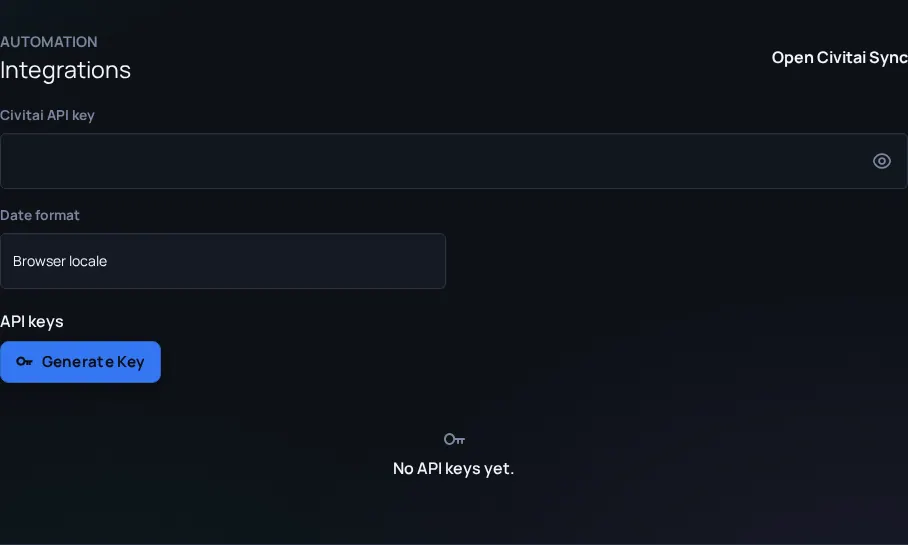
- Open Settings and find the integration or API key area.
- Name the key after the tool and machine so you can identify it later.
- Choose the smallest scope that works.
- Copy the secret once into the target tool.
- Verify the integration works, then close the secret view.
- Rotate or delete keys after leaks, device changes, tool removal, or staff request.
Discord upload links are temporary grants
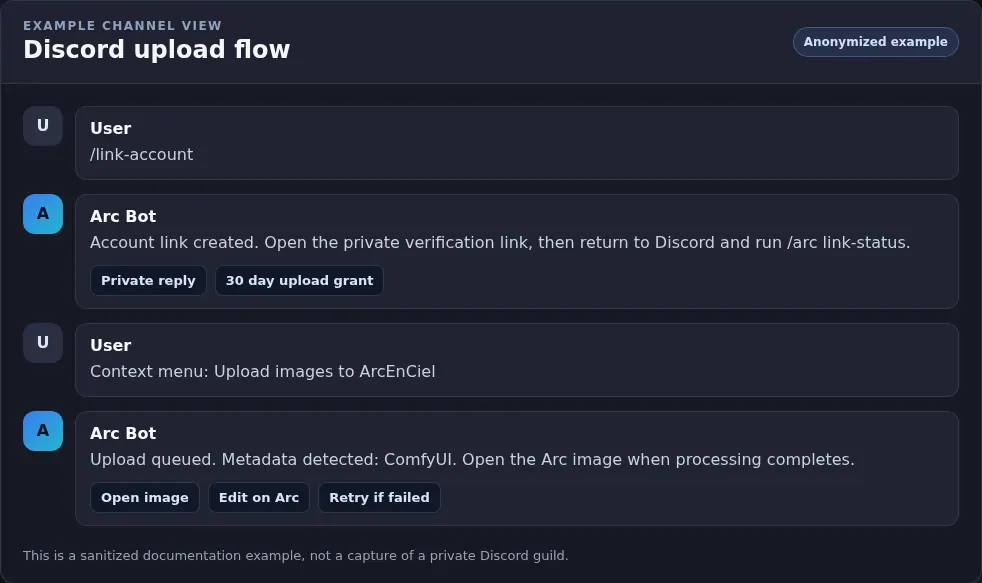
Discord upload links are not general-purpose API keys. They are short-lived verification or grant flows that let the bot connect a Discord-side action to the right Arc en Ciel account. Use /link-account to create a fresh link when the bot asks for one, verify the browser session carefully, and use /arc link-status to confirm the active upload grant.
Discord credential hygiene
- Treat link URLs as private - A one-time link can still attach the wrong workflow if posted in a shared channel.
- Check status after linking - Use /arc link-status before assuming uploads will land under your account.
- Revoke stale grants - Use /arc unlink-upload when changing accounts, devices, or guild context.
- Do not paste access keys into Discord - Use the website settings UI for keys and rotate anything that appears in chat.
Never expose these in screenshots
- API keys and access keys - Even partial keys can help attackers identify targets.
- Session cookies or Civitai tokens - Treat browser/session material as account access.
- Private Discord upload links - They can bind the wrong action or account.
- Local file paths with usernames - Paths can reveal machine names or personal info.