Arc en Ciel help
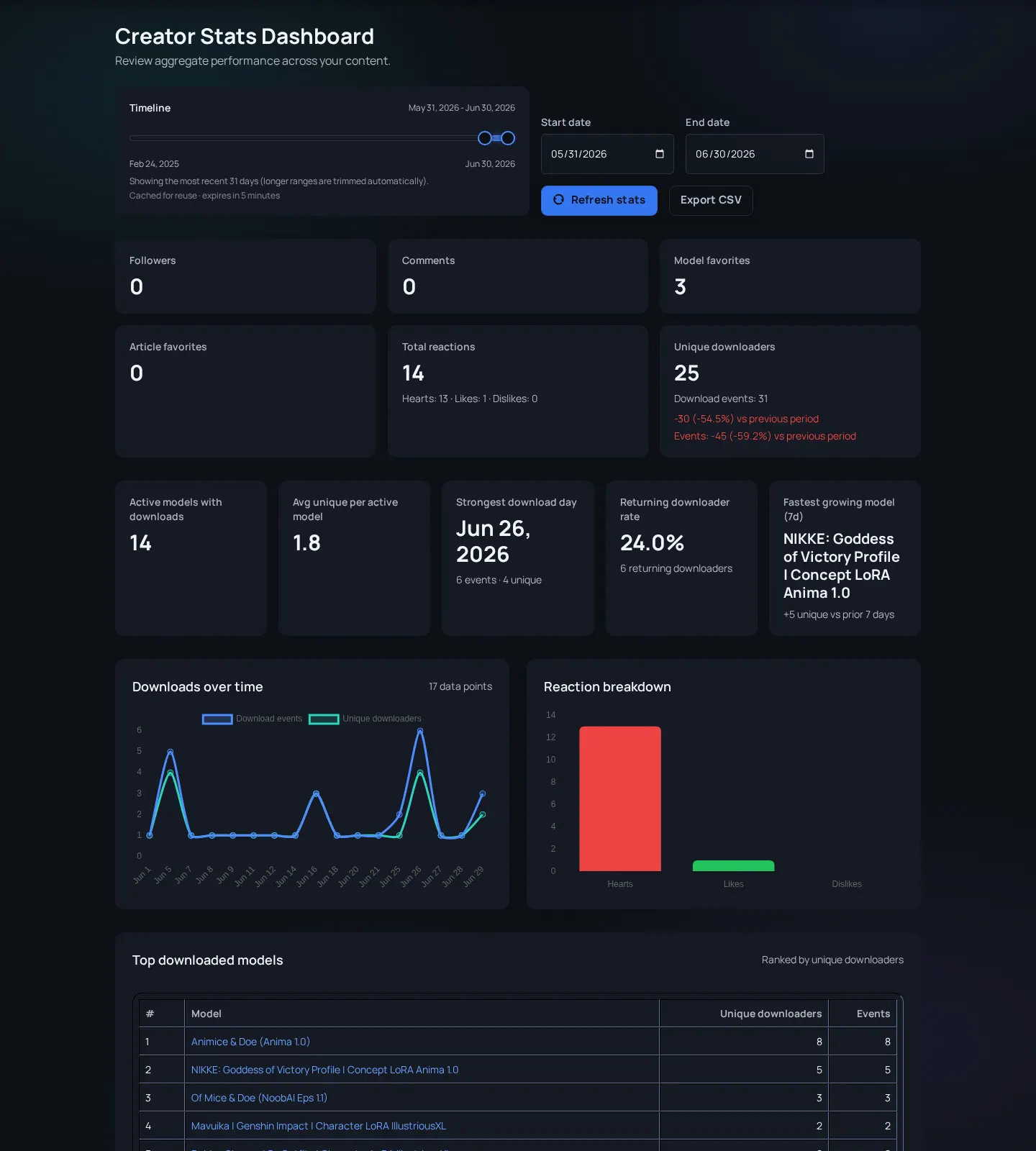
Creator Stats
Use creator analytics to understand release performance without over-reading noisy metrics.
Before you start
- Creator access or staff access to the relevant creator dashboard.
What Creator Stats can answer
Creator Stats helps you understand how releases perform across views, reactions, downloads, and related engagement signals where available. Treat it as a directional dashboard. Small sample sizes, old releases, rating filters, external traffic, and timing can all distort conclusions.
The most useful way to read stats is as a release review habit. Look at one content family at a time, compare similar versions, and write down what changed between releases. A spike after a Discord post, collab feature, homepage placement, or changelog mention means something different from steady long-tail discovery.

| Metric | Good for | Not for |
|---|---|---|
| Views | Reach and discovery. | Quality by itself. |
| Downloads | Resource utility and intent. | Proof that users kept or liked the file. |
| Reactions | Visible appreciation and feedback. | Full audience sentiment. |
| Time windows | Release pacing and trend direction. | Comparing unrelated content without context. |
Turn metrics into release decisions
Better stats habits
- Compare similar releases - A LoRA, article, and image set should not be judged by the same expectation.
- Look at timing - New releases, collabs, and social posts can create temporary spikes.
- Pair metrics with comments - Numbers explain what happened; comments may explain why.
- Separate discovery from retention - High views can mean good discovery; repeated downloads, follows, and constructive comments better suggest lasting usefulness.
- Pick one release family, such as related LoRA versions or a themed article series.
- Compare the same time window for each item instead of comparing a new release to a months-old item.
- Annotate major context changes: new preview image, changed tags, collab feature, external post, or model update.
- Use the pattern to improve the next release page, not to chase one metric in isolation.
When stats look surprising
Views increased but downloads did not
Likely cause: The title, preview, or tag may attract curiosity, but the description may not prove usefulness.
Fix: Improve usage notes, compatibility context, preview diversity, and version clarity.
Downloads increased after an old release changed
Likely cause: External links, collections, recommendations, or search indexing can revive older content.
Fix: Check whether related pages, tags, or external posts changed before assuming a platform bug.
Numbers differ between pages
Likely cause: Different surfaces may use different windows, cached counts, or available event types.
Fix: Use Creator Stats for trend decisions and page-level counts for local context.