Arc en Ciel help
Civitai import, export, and sync
Bring Civitai work into Arc en Ciel, send Arc releases back out, and check what happened when a sync gets stuck.
Before you start
- Creator or Admin access.
- Your own Civitai credential when an import or export needs one.
- A decision about which page should be edited first: Arc en Ciel or Civitai.
Quick answer
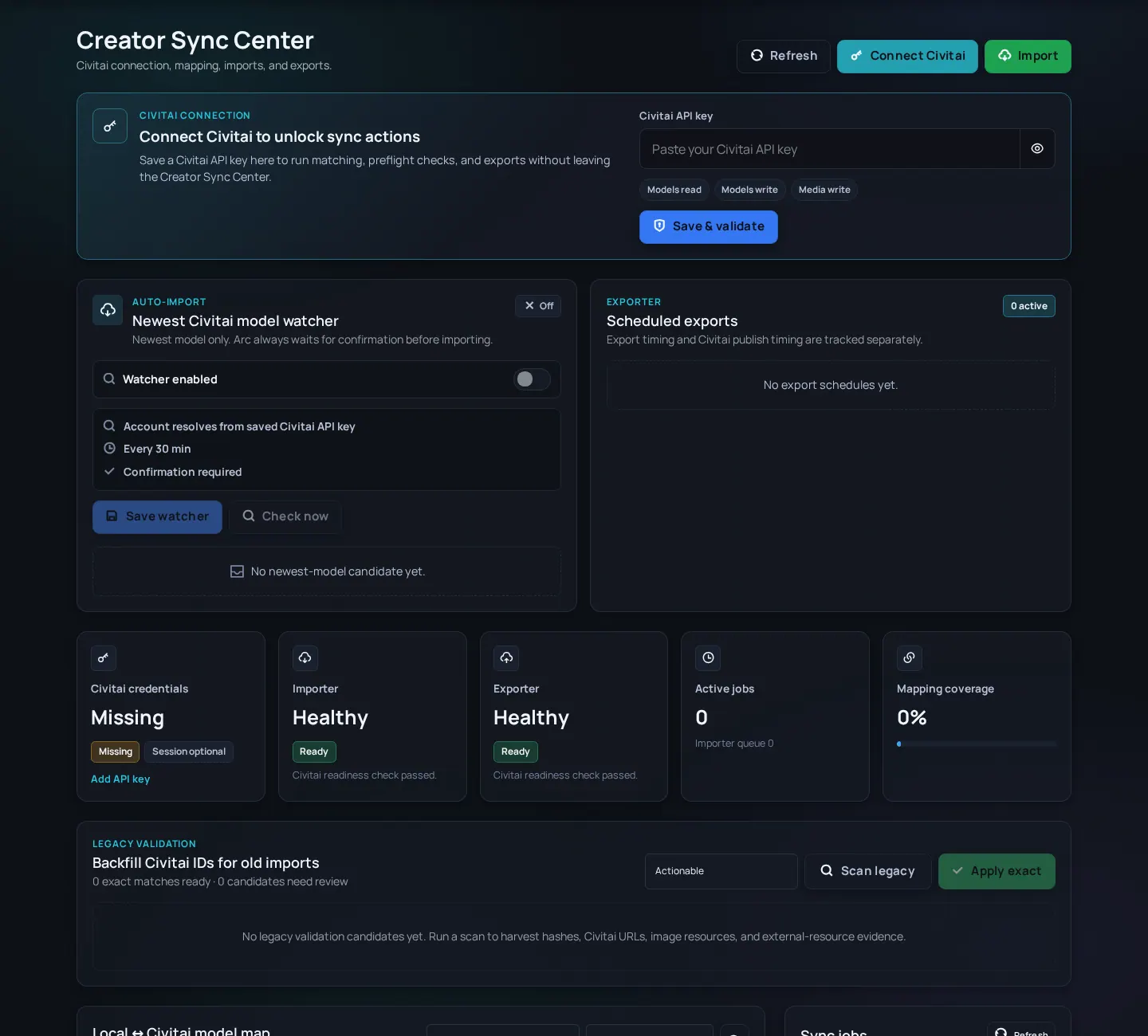
- Use Creator Sync when you want to import from Civitai, export to Civitai, or match a Civitai page to an Arc page.
- Do small batches first. Imported pages are drafts until you check title, rating, tags, versions, files, and preview images.
- If something fails, check the job status and credentials before retrying the same action.
What Creator Sync is for
Creator Sync is the place for Civitai import, export, matching, and job status. It saves typing, but it does not replace a human pass. Civitai data can be old, incomplete, or formatted differently from what reads well on Arc en Ciel.
Sync concepts
- Import
- Bring remote Civitai model/version information into Arc en Ciel.
- Export
- Prepare an Arc en Ciel model/version for Civitai.
- Mapping
- Connect a remote model/version identity to an Arc en Ciel model/version.
- Candidate
- Something Creator Sync found that you should review before importing or changing.
- Credential
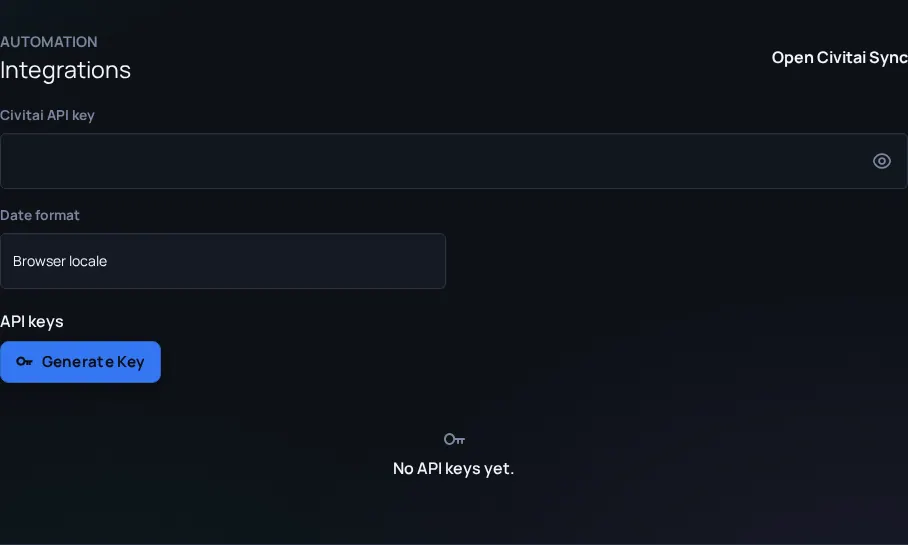
- An API key or session value used by the integration. Treat it like a password.
- Open Creator Sync from Settings or the user menu if your role allows it.
- Add a Civitai credential only from your own account.
- Check service and job status before starting a large import or export.
- Map existing models first so you do not create duplicates by accident.
- Review candidates one by one until the pattern is obvious.
- After the job finishes, open the changed pages and fix title, versions, description, tags, ratings, files, and source notes.
Importer workflows
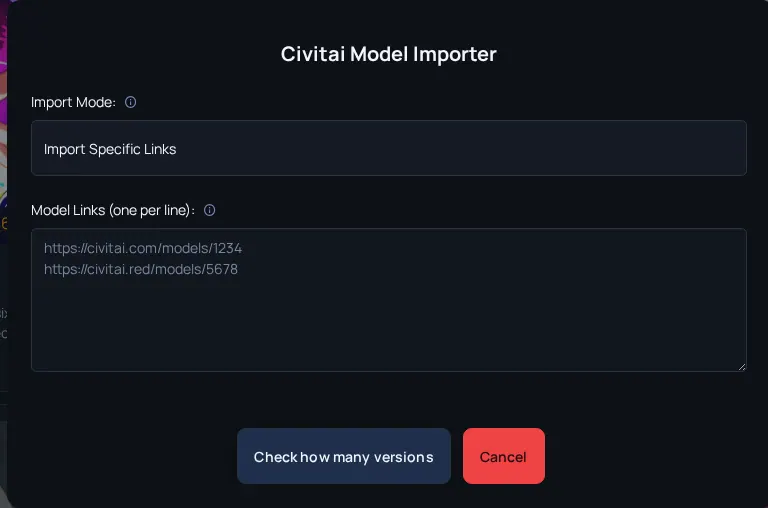
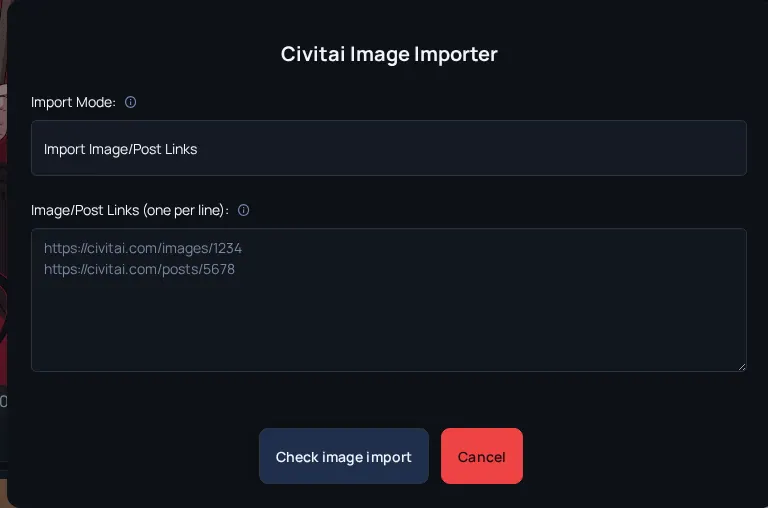
You can import Civitai models from model areas and Civitai images from media areas. Think of the importer as a draft starter. A good import still needs cleanup before you share it widely.
| Mode | Use it when | Review afterwards |
|---|---|---|
| Specific model links | You know the exact Civitai models to import. | Check duplicates, versions, base model, tags, and descriptions. |
| All models | You are bringing over a creator catalog and have time to clean it up. | Check job output, duplicates, old remote data, and missing files. |
| Checkpoint metadata + HF links | Civitai has useful metadata but the file source should be Hugging Face. | Confirm every remote file points to the right HF path before publishing. |
| Image/post links | You want to bring selected Civitai images or posts into Arc en Ciel. | Confirm image rating, tags, prompt notes, and source/ownership context. |
| All images | You are importing a broader image catalog. | Expect cleanup. Bulk image imports need rating and tag spot checks. |
Exporter workflows
Use the exporter when the Arc page is ready and Civitai should get a matching release. Before exporting, make sure the Arc page already explains the model clearly. Exporting a messy page usually just creates a messy remote draft.
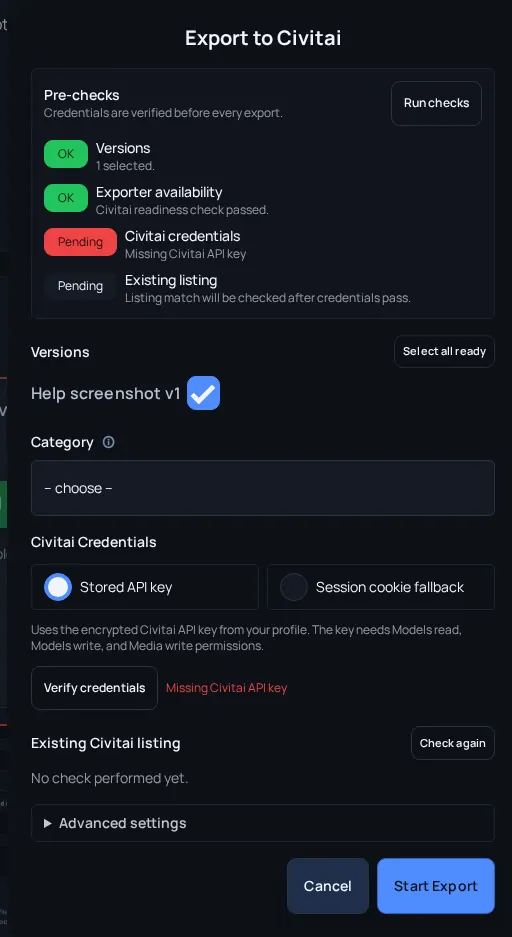
Exporter preflight checklist
- Versions have preview images - Civitai needs useful images on the selected versions.
- Credentials are current - API keys are better for scheduled exports; session cookies are only a manual fallback.
- Existing listing is understood - Do not accidentally create a duplicate remote model when a Civitai ID is already known.
- Category and maturity are correct - Remote category and maturity settings decide where the Civitai page can appear.
- License and source settings are intentional - Review commercial use, derivative, attribution, and activation-tag cleanup options.
- Timing leaves buffer - Leave enough time for Arc publication, upload, and Civitai processing.
Safe sync checklist
- Know the source page - Decide whether Arc en Ciel or Civitai has the best current description and version list.
- Avoid blind bulk import - Duplicates and incomplete remote data create cleanup work fast.
- Protect credentials - Never include session cookies or API keys in screenshots, logs, or support messages.
- Check after sync - The tool can copy structure. It cannot know whether the page reads well.
Sync problems
No candidates appear
Likely cause: Missing credential, unavailable service, or no matching items on the remote account.
Fix: Check the credential and service status first.
Duplicate model created
Likely cause: Mapping was missing or remote identity differed from expected.
Fix: Map before future imports and clean duplicates through the normal edit or staff path.
Export fails
Likely cause: Credential, queue, or remote validation issue.
Fix: Open the job status, fix the specific page or credential problem, then retry.
Importer creates messy drafts
Likely cause: Remote titles, tags, maturity values, or descriptions may not match Arc en Ciel style.
Fix: Treat importer output as a draft. Clean title, rating, tags, files, and description before linking it widely.
Scheduled export goes public too early or too late
Likely cause: Arc publish time, exporter delay, upload time, and Civitai publish time were too close together.
Fix: Use draft mode for uncertain releases, or add more buffer for upload and remote processing.