Arc en Ciel help
Generator basics
Start a generation job and understand modes, queue state, quotas, outputs, and safe retry behavior.
Before you start
- A signed-in account with Generator access.
- A prompt idea and a model/workflow that is currently enabled.
Workspace map
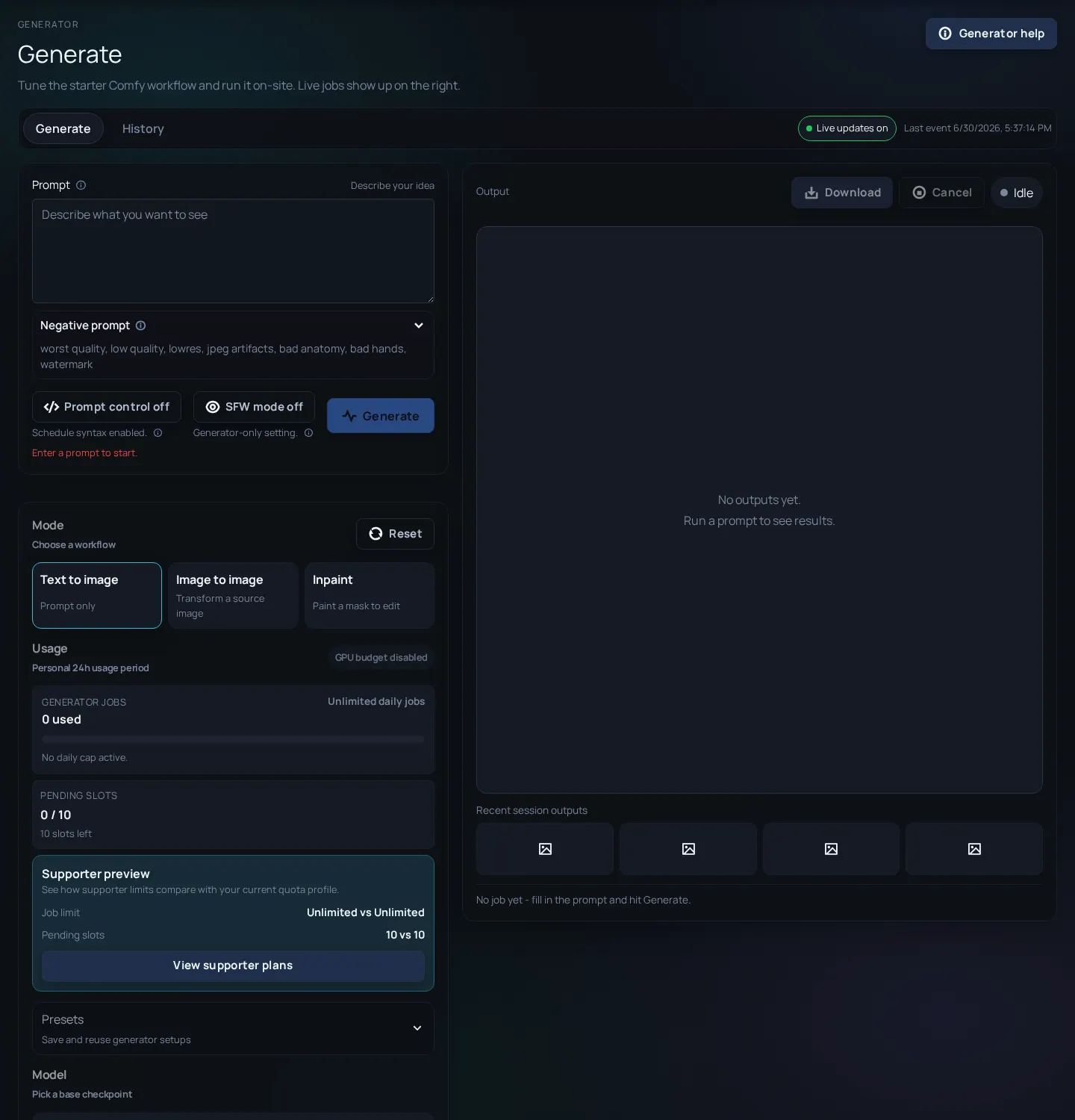
The Generator workspace is a task surface, not a gallery. It combines prompt inputs, generation controls, model selection, queue state, output review, history, and actions for download or publishing. Treat each job as a reproducible experiment: prompt, model, seed, dimensions, and advanced controls all matter.

Core terms
- txt2img
- Generate from a text prompt and selected model settings.
- img2img
- Use an existing image as a starting point and guide how much it changes.
- Inpaint
- Mask part of an image and regenerate that area.
- Queue
- The line of pending or running jobs. A submitted job may wait before it starts.
- Seed
- A number that helps reproduce or vary results when other settings are similar.
Run your first job
- Open Generate and wait for the policy/state controls to load.
- Choose the mode that matches your input: txt2img for text-only, img2img or inpaint when starting from an image.
- Pick a model or workflow that matches your intended style and base model expectations.
- Write a positive prompt and optional negative prompt with clear subject, style, lighting, and constraints.
- Review dimensions, steps, sampler, seed, and quota cost before submitting.
- Submit once, then watch queue/history instead of clicking repeatedly.
- Open the output before publishing so you can inspect quality, rating, and metadata.
Before pressing Generate
- Prompt is specific enough - The model cannot infer missing subject, medium, angle, lighting, or style constraints reliably.
- Model and LoRAs match - A LoRA made for one base model family may behave poorly on another.
- Dimensions are intentional - Large or unusual sizes can cost more and fail more often.
- You understand quota cost - Do not spend quota debugging a typo repeatedly.
Common first-run problems
Generate controls are unavailable
Likely cause: Generator may be disabled, your account may lack access, or state has not loaded.
Fix: Refresh once, check account role/support state, then check Status/Changelog if it persists.
Job waits in queue
Likely cause: Workers may be busy or concurrency may be limited.
Fix: Wait for queue state; avoid duplicate submissions unless the first job clearly failed.
Result ignores a concept
Likely cause: Prompt too vague, wrong model, missing trigger word, or incompatible LoRA.
Fix: Change one variable at a time and compare history.