Arc en Ciel help
Accounts, login, and verification
What changes after you sign in, where verification fits, and where account settings live.
Before you start
- A reachable email inbox if email verification is required.
- A signed-in session for profile, API, and integration settings.
Quick answer
- You can browse public pages without an account, but comments, follows, settings, downloads, API keys, and creator tools need sign-in.
- If the site asks for email or device verification, finish that prompt before retrying the action.
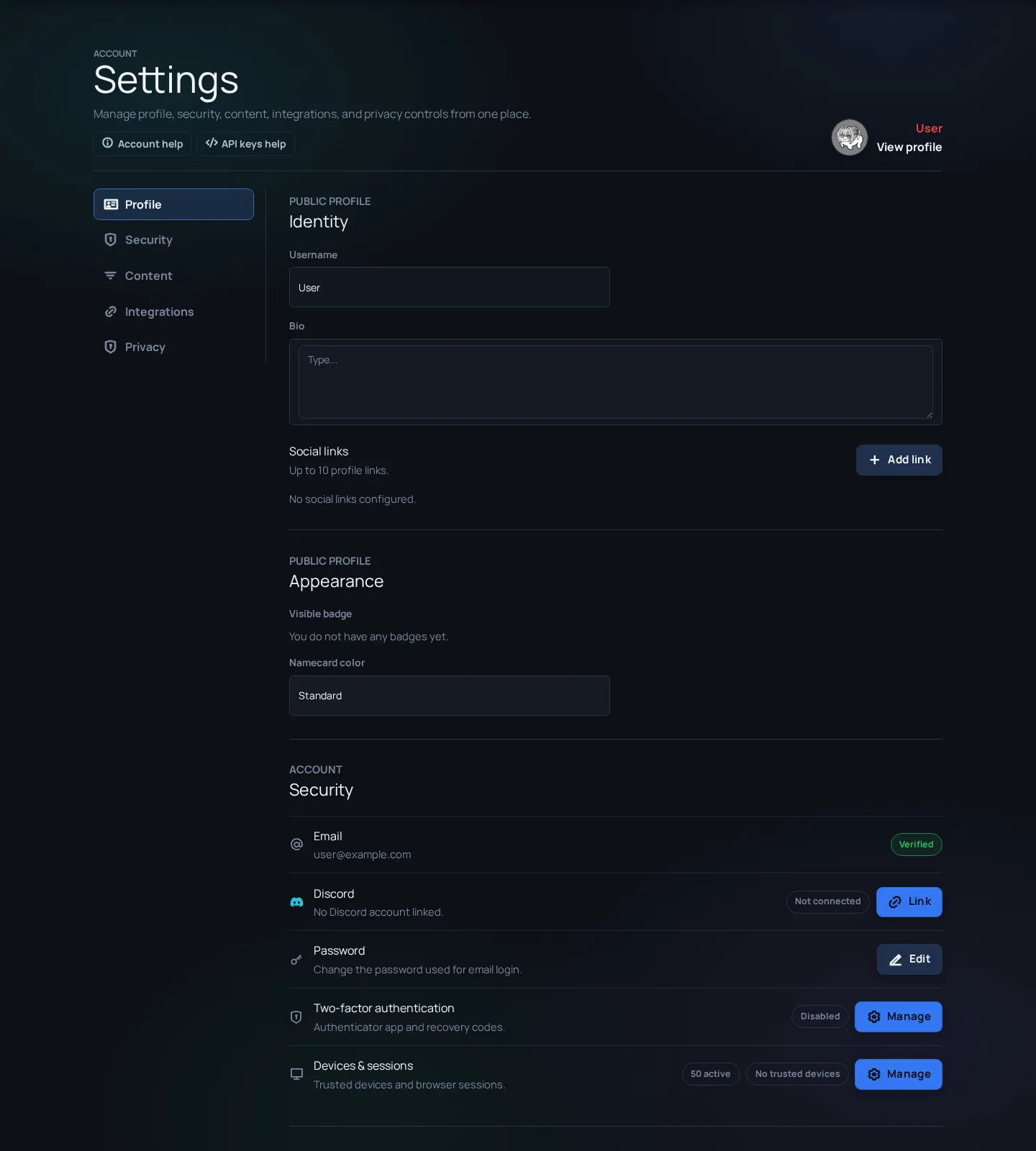
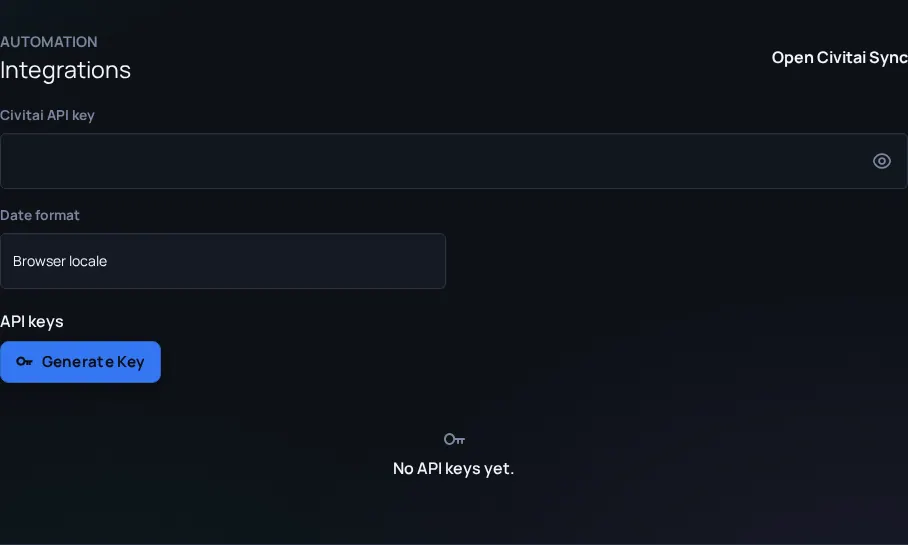
- Use Settings for profile, security, content filters, API keys, integrations, and Discord-related account links.
What an account changes
An account lets Arc en Ciel remember things for you: follows, comments, notifications, download history, filters, API keys, integrations, private files, and creator tools when your role allows them.
| State | What it usually means | Best next step |
|---|---|---|
| Logged out | You can browse public content only. | Log in when you need comments, follows, downloads, or settings. |
| Logged in but unverified | The app may limit sensitive actions. | Complete the email or device verification prompt. |
| Verified user | You can use normal account features. | Set up profile, filters, security, and integrations. |
| Artist or Creator | You have posting rights for selected content types. | Use publishing forms and keep title, rating, tags, and notes complete. |
Login and verification flow
- Register or log in from the top navigation.
- If the app asks for email verification, open the verification email before retrying the protected action.
- If login-device verification appears, treat it as a security challenge for an unfamiliar browser or device.
- Open Settings after login to review profile, security, content filters, integrations, API keys, and privacy choices.
- Enable two-factor authentication from Security when the account owns content, credentials, or API keys.
Discord and community identity
Discord can help with community steps such as role applications and upload-link confirmation. It does not replace your Arc en Ciel password, email, or two-factor setup. Keep both accounts secured, and do not share screenshots that expose tokens, private channels, or verification links.
Security checklist
- Use a unique password - Do not reuse a password from Civitai, Discord, email, or local tools.
- Turn on 2FA for publishing accounts - Creator accounts can affect public content and should be treated as higher-value accounts.
- Rotate API keys you no longer use - Old keys should be deleted rather than left active for unknown scripts.