Arc en Ciel help
Why a button, upload, or page is missing
A quick checklist for missing create buttons, hidden content, disabled Generator controls, and pages that redirect.
Quick answer
- Missing buttons are usually caused by role, verification, ownership, feature state, read-only mode, or rating filters.
- Check the page URL and account state before assuming the content or upload flow is broken.
- If the page redirects to login or home, the route probably needs sign-in, admin preview, moderator access, or a feature flag.
Fast checks
A missing button is not always a bug. Arc en Ciel hides actions that do not apply to your account, role, current page, content ownership, or current platform state. Use this list before reporting it.
Check these in order
- Are you signed in? - Comments, follows, settings, downloads history, API keys, Generator, and creator tools need an account.
- Is the account verified? - Some sensitive actions pause until email or device verification is complete.
- Does your role match the action? - Artist, Creator, Supporter, Developer, Moderator, and Admin do not see identical controls.
- Do you own the item? - Editing, version uploads, collection management, and delete actions can require ownership or staff access.
- Is the feature enabled right now? - Generator, publishing, Link, imports, exports, or uploads can be paused during incidents.
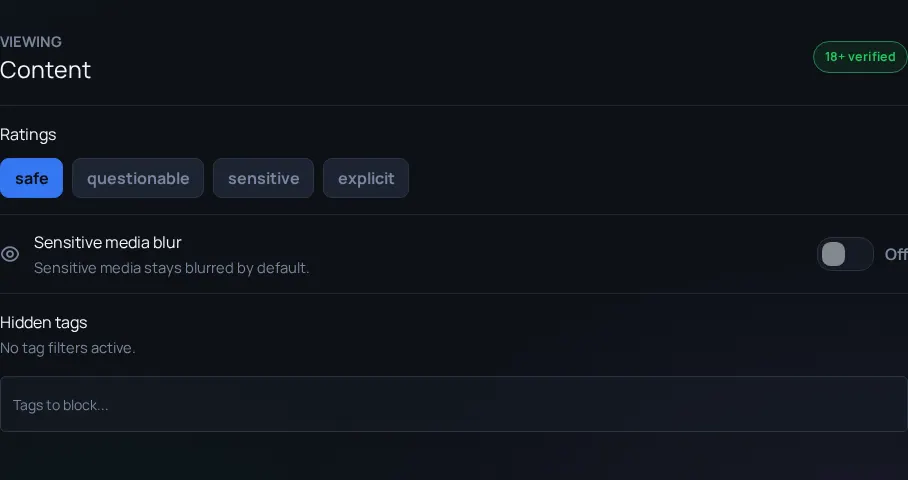
- Are filters hiding content? - Rating, tags, search text, hidden tags, or sort/filter state can make pages look empty.
| Missing thing | Likely check | Best next step |
|---|---|---|
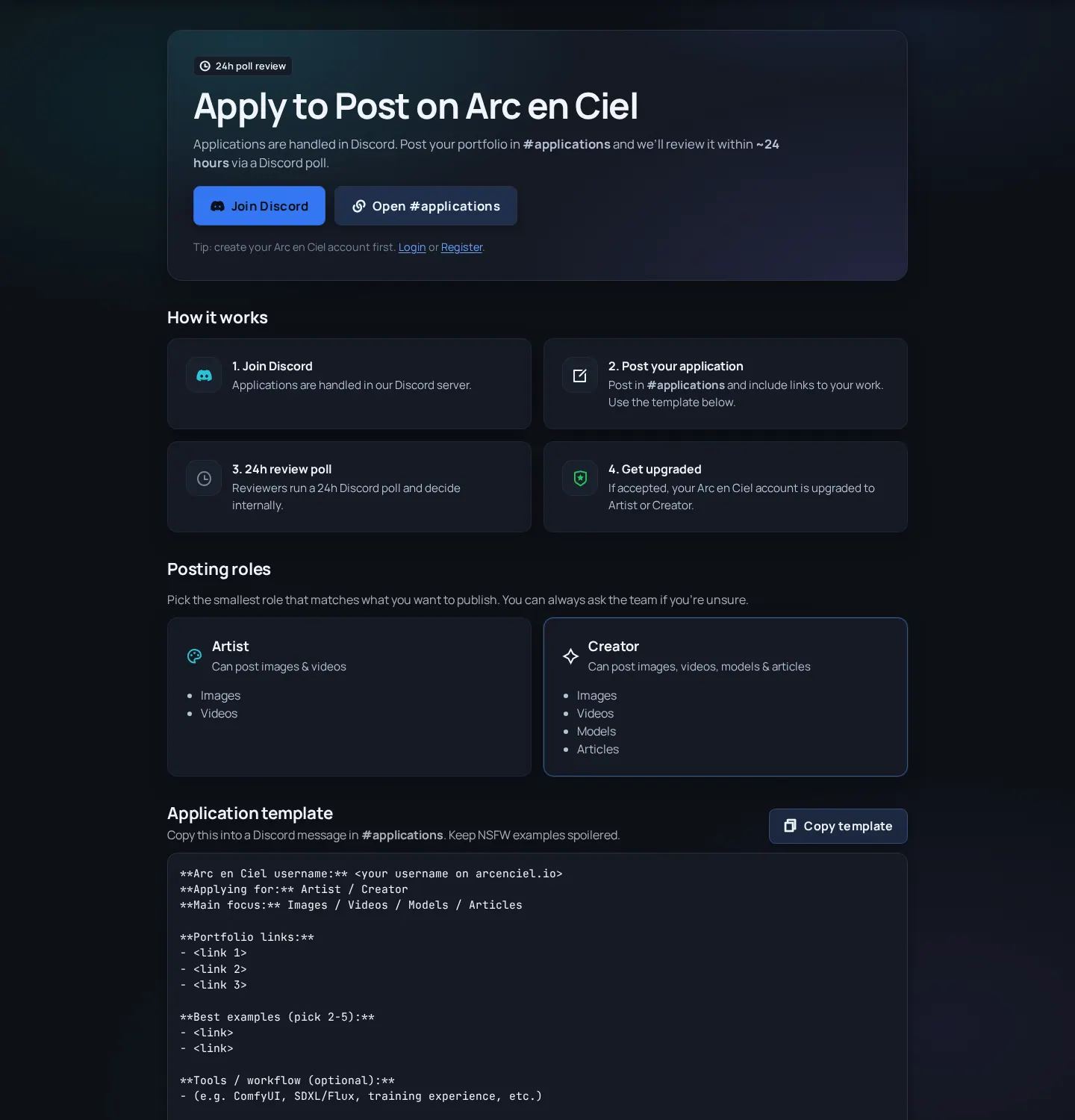
| Create model/version | Creator role, ownership, read-only state | Open Apply or Roles and posting rights. |
| Upload images/videos | Artist/Creator role and page context | Try the Images/Videos page or the model-version media flow. |
| Generator controls | Generator access, supporter/role state, current feature state | Check Generator troubleshooting and Status. |
| Adult or sensitive results | Rating settings, age/adult access, hidden tags | Open Settings > Content and clear search filters. |
| API or Link actions | Signed-in state, key scope, Link connection state | Check API keys or Link setup. |
| Help page for non-admins | Help Center is still admin-preview only | Wait for public launch or use staff/admin preview. |
When it still looks wrong
I can browse but cannot upload
Likely cause: Browsing is public; publishing needs an approved role and sometimes verification.
Fix: Check role, Apply page, and whether the upload belongs to Images, Videos, Models, or Articles.
The button appears on desktop but not mobile
Likely cause: The action may live in a drawer, overflow menu, or contextual toolbar on small screens.
Fix: Open the More/menu controls and scroll the action panel before reporting it as missing.
A page redirects to home
Likely cause: The route may be staff-only, admin-preview, feature-gated, or unavailable to your role.
Fix: Confirm the exact URL and role. Do not assume the public link is ready for everyone.
Search returns nothing
Likely cause: Too many filters, adult-content restrictions, hidden tags, or a very narrow query.
Fix: Clear filters, remove one search term, and retry from the broader content-type page.